Best Managed WordPress Hosting: How to Actually Choose
"Best managed WordPress hosting" lists are dominated by broad-scope review sites ranking a dozen providers on generic criteria. Here's a decision framework instead — the factors that actually determine which host fits your specific site, and where to find the real numbers once you know what you're optimizing for.
This article may contain affiliate links. We may earn a commission if you make a purchase, at no extra cost to you.
The 30-second answer
CHOICEA'S PICK
The right managed WordPress host depends on which resource your site will actually strain first — traffic, storage, or site count — plus how much operational involvement you want and whether your pricing needs to be predictable or usage-based. There's no single "best," but there is a specific right answer for your situation once you know which factor matters most.
What to check next: See the full breakdown above
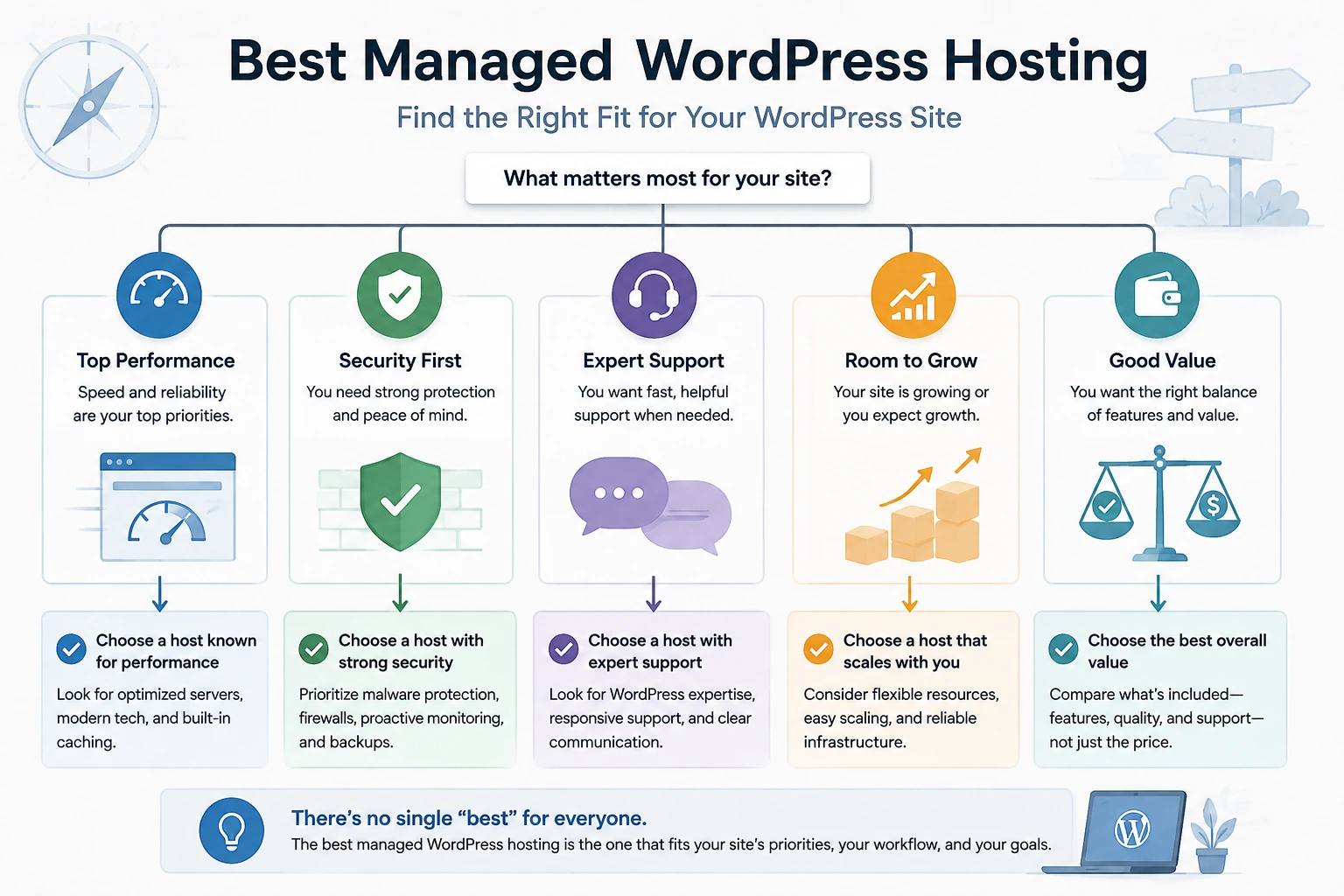
Search "best managed WordPress hosting" and you'll get lists from WordPress.com itself, TechRadar, HostingAdvice, and sites that claim to have tested three dozen hosts — all ranking a dozen-plus providers against each other on broad, generic criteria. That's a genuinely hard space for anyone to add a better ranking to. This page does something different: instead of another ranked list, it's a framework for figuring out which specific factors about your own site should decide this — then routes you to CHOICEA's own real, numbers-backed comparison once you know what you're actually optimizing for.
Why This Isn't a "10 Best Hosts" List
The sites currently ranking for this exact query are large, established review operations — one is the WordPress.com platform itself, others are review sites explicitly built around testing large numbers of hosts side by side. Competing with that head-on, on the same "rank 10 providers" format, isn't a realistic differentiation strategy. What those lists consistently don't do well is help a specific reader work out which of their criteria actually matters for their own site before pointing them at a ranking — they optimize for comprehensiveness, not for your specific decision. That gap is what this page addresses instead.
Who Actually Needs Managed WordPress Hosting
Fully-managed WordPress hosting is the right category if you're running WordPress specifically, want zero server-level involvement (no SSH, no manual updates, no security patching), and are willing to pay a premium — usually billed by traffic, storage, or site count rather than raw server resources — for that to be entirely someone else's job. If any of those don't apply — you're comfortable managing a server yourself, or you need more than WordPress on the same infrastructure — see our VPS vs Managed Cloud vs Fully-Managed WordPress guide first; this page assumes you've already landed on fully-managed WordPress as the right category and are choosing within it.
The Factors That Actually Decide This
Which resource will you actually strain first: traffic, storage, or site count? This is the single most consequential question, because managed WordPress hosts don't all bill on the same axis. Some scale primarily by monthly visits and keep storage flat within a tier; others scale storage and site allowances together as you move up. A traffic-heavy, storage-light site (a SaaS marketing page, a lead-gen site with real ad spend) fits a visit-based model well. A storage-heavy site (a media-dense blog, a WooCommerce catalog) or one managing several sites from day one fits a storage/site-scaling model better. Guessing wrong here means paying for capacity you don't need on one axis while running tight on the other.
How much operational involvement do you actually want? "Fully managed" isn't uniform across providers — the baseline (automatic updates, backups, security) is close to universal in this category, but staging environments, one-click cloning, built-in CDN, and the depth of included support vary. If you want to never think about any of this, confirm what's actually included rather than assuming "managed" means the same bundle everywhere.
How variable is your traffic? A site with occasional, unpredictable spikes needs to know specifically what happens at its host when it exceeds its normal tier — some hosts throttle at the limit, others bill overage, and the difference is a real, material cost/risk trade-off, not a minor detail. (See our traffic spikes explainer for the underlying mechanics if this applies to you.)
What does migrating to this host actually involve? If you're moving an existing site rather than starting fresh, migration support (free vs. paid, self-service vs. white-glove, and what it actually covers) is a real decision factor, not an afterthought — see our migration checklist for what a move actually requires regardless of destination.
Is your pricing predictable or usage-based — and does that fit how your traffic actually behaves? A visits-based model is easy to budget for a stable site and can get expensive fast for a spiky one; a storage/site-based model does the opposite. Neither is universally "cheaper" — it depends on your specific usage shape.
Provider-Fit Framework
| Your situation | What to look for |
|---|---|
| Traffic is the growth driver, storage stays modest | A visits-based pricing model, so you're not paying for storage headroom you won't use |
| You're storage-heavy (media, large catalogs) or managing multiple sites from the start | A storage/site-scaling pricing model, so cost tracks what's actually growing |
| Traffic is unpredictable or spiky | Confirm the specific overage/throttling policy before committing — this varies by provider and materially affects both cost and risk |
| You're migrating an existing site, not starting fresh | Confirm what the migration service actually covers (see our migration checklist) — "free migration" doesn't universally mean the same scope |
| You want the deepest current numbers on two well-established providers | See our Kinsta vs WP Engine comparison — real, dated pricing across every published tier on both sides, including exactly this traffic-vs-storage structural difference worked through in detail |
One real, current data point worth knowing before you shop by headline price alone: Kinsta's own marketing page states a "$30/month" entry price, while its own pricing page lists $35/month for the equivalent tier (both checked directly, 2026-08-21) — a real, citable inconsistency between what a provider advertises and what its own published tier table says. It's a useful reminder to check the actual tier table, not just the number in the hero banner, for any provider you're evaluating — not specific to Kinsta as a pattern.
When Managed WordPress Hosting Is the Wrong Category
If you're comfortable running your own server and want to minimize cost, or you need to run more than just WordPress on the same infrastructure, fully-managed WordPress hosting is likely the wrong category regardless of which provider you'd pick within it — see VPS vs Managed Cloud vs Fully-Managed WordPress for the broader routing decision, or our Cloudways pricing breakdown for what a managed cloud platform (WordPress plus other stacks, resource-based pricing) costs instead.
Bottom Line
There's no single "best" managed WordPress host — there's a best fit for which resource your site actually strains, how much operational control you're giving up, and whether your traffic is predictable enough for visits-based pricing to make sense. Work out those factors first, then go to the real, numbers-backed comparison for the specific decision in front of you — or straight to our Kinsta review if you've already leaned toward Kinsta specifically and want the full single-provider picture.
FAQ
Is managed WordPress hosting worth the extra cost?
It depends on what you'd otherwise spend managing a server yourself — time, security risk, and the cost of anything you'd need to hire out. There's no universal answer; it's a real trade-off, not a default "yes."
What's the difference between managed WordPress hosting and a managed cloud platform like Cloudways?
Managed WordPress hosting is WordPress-only, usually billed on traffic/storage/site count. A managed cloud platform (Cloudways is the clearest current example) supports WordPress alongside other applications and bills primarily on server resources (RAM/vCPU) with a management premium on top. See our VPS vs Managed Cloud vs Fully-Managed WordPress guide for the full three-way breakdown.
Can I switch managed WordPress hosts later if I choose wrong?
Yes — migration between hosts in this category is a well-established, usually well-supported process (see our migration checklist), so an imperfect first choice isn't a permanent one. That said, getting the traffic-vs-storage fit right up front avoids unnecessary migration work.
Sources
- CHOICEA's own Kinsta vs WP Engine comparison (linked above) — real, dated pricing across every published tier, checked 2026-08-21, referenced here rather than re-derived
- Real ranked search results for "best managed wordpress hosting" (2026-08-22) — confirmed the current SERP is dominated by WordPress.com, TechRadar, HostingAdvice, and a 36-host-tested listicle (hostingstep.com); used to establish that a competing ranked-list format is not a realistic differentiation strategy here
- kinsta.com/wordpress-hosting/ vs. kinsta.com/pricing/ — the $30-vs-$35 pricing-page inconsistency, checked 2026-08-21
Checked at: 2026-08-22. Provider pricing and plan structures change — confirm current terms directly with any specific host before committing.