Cloudways Autoscaling: How the Billing Actually Works
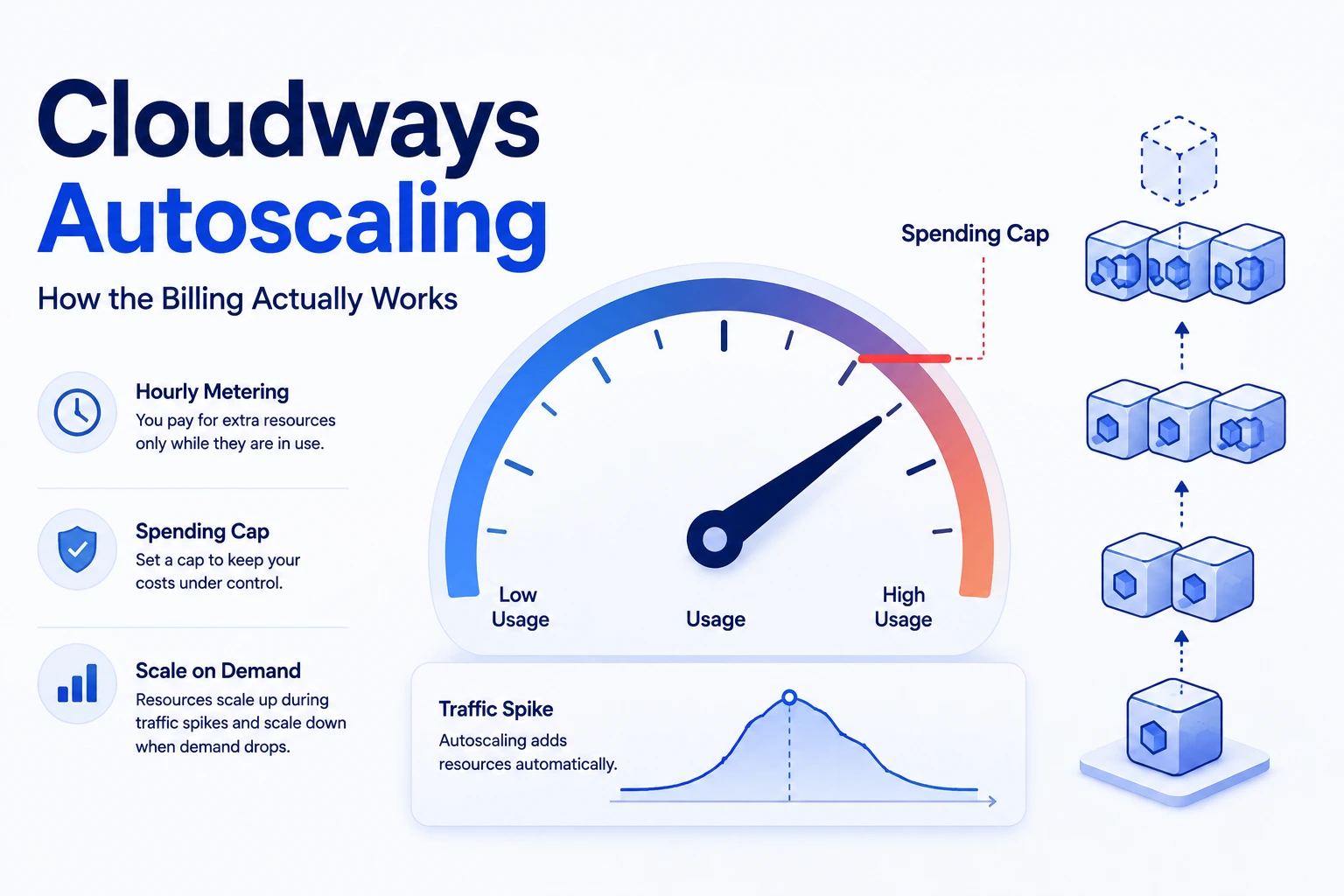
Cloudways Autonomous scales automatically during a traffic spike — but "automatic" doesn't mean "free." Here's exactly how the per-pod billing works, what caps the cost, and when autoscaling is actually worth paying for versus a fixed tier.
This page may contain affiliate links. We may earn a commission if you make a purchase, at no extra cost to you.
The 30-second answer
CHOICEA'S PICK
Cloudways Autonomous adds extra server capacity ("pods") automatically during a traffic spike and bills for it by the hour — $0.07-$0.12/hr per extra pod depending on your tier — not an open-ended bill, since you can set a monthly spending cap that pauses autoscaling once reached. It's worth paying for if your traffic spikes unpredictably; it's an unnecessary cost if your traffic is steady, where a fixed tier is simpler and cheaper.
BEST FOR
- You're evaluating Cloudways Autonomous specifically and want to know what "automatic" actually costs before assuming it's either free or unlimited.
- Your traffic has real, hard-to-forecast spikes (launches, sales events, press mentions) and you want a mechanism that survives one without manual intervention.
- You want a real spending control, not just a marketing claim, before trusting autoscaling with your budget.
ALTERNATIVE / if your situation is different
- **Your traffic is flat and predictable.** A correctly-sized fixed tier (Flexible or a static Autonomous tier with adequate headroom) is simpler and won't cost more than the capacity you're actually using — see [Cloudways Pricing Explained](/articles/cloudways-pricing-explained/) for the static tier tables on both plans.
- **You haven't set a Budget Control cap and don't plan to.** The cap is what keeps this predictable; skipping it reintroduces the open-ended-bill risk this page exists to close.
- **You're not sure Cloudways is the right platform at all yet** — see [Who Should (and Shouldn't) Use Cloudways](/articles/should-you-use-cloudways/) for that upstream decision first.
What to check next: Check Cloudways Autonomous plans
CHOICEA's own traffic spikes explainer raised a real, unanswered question about autoscaling generally: "Is there a spending cap on autoscaling, or could a sustained spike produce an open-ended bill? Worth confirming directly with your specific host rather than assuming." This page answers that specifically for Cloudways Autonomous — the mechanics, the actual per-hour cost, the cap that exists, and a fair framework for when paying for it is the right call.
Does Cloudways actually scale automatically?
Yes, on the Autonomous plan specifically. Autonomous is built on Kubernetes with pre-configured autoscaling (confirmed directly on cloudways.com/en/pricing.php, checked 2026-08-26) — when traffic exceeds what your baseline server capacity handles, the platform automatically adds extra compute ("pods") to absorb the load, then scales back down once the spike passes. This is separate from Cloudways' older Flexible plan (see Cloudways Pricing Explained), which is a fixed server spec you'd need to manually resize — Flexible doesn't autoscale on its own.
The billing mechanics: what an extra pod actually costs
Confirmed directly from Cloudways' own blog post on autoscaling vs. traditional scaling (cloudways.com/blog/autoscaling-vs-traditional-scaling/, checked 2026-08-26), extra pod capacity is billed hourly, at a rate that depends on your Autonomous tier:
| Autonomous tier | Base price | Baseline autoscale servers included | Extra pod rate |
|---|---|---|---|
| Growth | $99/mo | 1 | $0.07/hr per extra pod |
| Scale | $199/mo | 2 | $0.10/hr per extra pod |
| Plus | $399/mo | 3 | $0.12/hr per extra pod |
Cloudways' own worked example: "2 extra pods running for those 4 hours costs you $0.56 on top of your $100 base" — that's 2 pods × 4 hours × $0.07/hr on the Growth tier, matching the table above exactly. So a short, moderate spike is genuinely cheap — under a dollar in that example. The number that actually matters is how many pods you need and for how long, which depends entirely on your traffic pattern, not a flat "autoscaling costs $X" figure.
Two other charges worth knowing about while you're pricing this out (both confirmed on the same pricing page, checked 2026-08-26, and already covered in more depth in Cloudways Hidden Costs): disk overage at $1/GB and bandwidth overage at $0.04/GB on Autonomous specifically. A traffic spike that drives real visitor growth can trigger bandwidth overage independently of the pod-scaling cost above — they're separate line items, not the same charge.
Autoscaling Budget Control — the spending cap
This is the direct answer to the open question: Cloudways lets you set a monthly spending cap on autoscaling directly from your dashboard (confirmed via Cloudways' own blog post, checked 2026-08-26). You get alerted as you approach the limit, and the feature pauses autoscaling once the cap is reached rather than letting the bill run open-ended. That's a real, existing control — not something CHOICEA independently tested for accuracy or failure modes (we don't have data on what happens to your site's availability once autoscaling actually pauses at the cap, which is a real, practical question if you set the cap too low for your actual traffic), but the mechanism itself is real and documented, not marketing language without a feature behind it.
Autoscaling Analytics — seeing what you were actually billed for
Cloudways also documents an Autoscaling Analytics dashboard (same source, checked 2026-08-26) that shows exactly when your site scaled, how many pods ran, for how long, and what it cost. Practically, this is what lets you reconcile a monthly bill against actual spike events after the fact, and — combined with the spending cap above — set a more informed cap next time based on what a real spike actually cost you.
When autoscaling is worth it (and when it isn't)
Cloudways' own framing draws a fair distinction worth repeating because it's accurate, not because it's convenient marketing: "Traditional scaling and autoscaling aren't competing solutions. They solve different problems."
Autoscaling earns its cost when your traffic is genuinely unpredictable — a launch, a press mention, a sale event, seasonal spikes you can't forecast precisely. A fixed server has no answer for a spike that exceeds its provisioned capacity except downtime or a manual, after-the-fact resize; autoscaling absorbs it automatically, for a real but usually modest per-hour cost as shown above.
A fixed tier is the better call when your traffic is steady and growing predictably. If you already know roughly what your traffic looks like month to month, you're paying for autoscaling infrastructure you'll rarely use — a correctly-sized Flexible server, or a static Autonomous tier with enough baseline headroom, is simpler to budget for and won't cost more than the capacity you actually need. Autoscaling isn't a permanent discount on getting your server size right; it's insurance against getting it wrong during an unpredictable spike specifically.
Neither answer is universally correct — it depends on how predictable your own traffic actually is, not on which option sounds more "modern."
Who this is for
- You're evaluating Cloudways Autonomous specifically and want to know what "automatic" actually costs before assuming it's either free or unlimited.
- Your traffic has real, hard-to-forecast spikes (launches, sales events, press mentions) and you want a mechanism that survives one without manual intervention.
- You want a real spending control, not just a marketing claim, before trusting autoscaling with your budget.
Who should skip it
- Your traffic is flat and predictable. A correctly-sized fixed tier (Flexible or a static Autonomous tier with adequate headroom) is simpler and won't cost more than the capacity you're actually using — see Cloudways Pricing Explained for the static tier tables on both plans.
- You haven't set a Budget Control cap and don't plan to. The cap is what keeps this predictable; skipping it reintroduces the open-ended-bill risk this page exists to close.
- You're not sure Cloudways is the right platform at all yet — see Who Should (and Shouldn't) Use Cloudways for that upstream decision first.
Alternatives
If you'd rather avoid usage-based billing entirely and prefer a single fixed monthly number regardless of traffic, a static Flexible or Autonomous tier sized with real headroom is the more predictable (if less elastic) choice — see Cloudways Pricing Explained for every published tier on both models. If you're comparing Cloudways' overall approach against a different provider entirely, see Cloudways vs DigitalOcean or Cloudways vs Vultr.
If this option fits you
Check Cloudways Autonomous plansPR / This link goes to our partner's official site (affiliate link). We may earn a commission if you make a purchase, at no extra cost to you. Pricing and promotions may change — please check the official site for current terms.
FAQ
Does Cloudways autoscaling have an unlimited bill risk?
Not if you use the Budget Control feature — you can set a monthly spending cap that pauses autoscaling once reached, with alerts as you approach it. Without a cap set, a sustained spike would keep incurring the per-pod hourly charge for as long as the spike lasts, which is a real cost to be aware of, not a hidden one.
How much does Cloudways autoscaling actually cost during a spike?
It depends on your Autonomous tier and how many extra pods you need for how long — $0.07/hr per pod on Growth, $0.10/hr on Scale, $0.12/hr on Plus (all confirmed directly on Cloudways' pricing page, checked 2026-08-26). Cloudways' own example — 2 extra pods for 4 hours — comes to $0.56 on the Growth tier.
Is autoscaling available on Cloudways Flexible too?
No — the autoscaling and Budget Control/Analytics features described here are specific to the Autonomous plan. Flexible is a fixed server spec you resize manually; see Cloudways Pricing Explained for how that model works instead.
Should I just always leave autoscaling on?
If you're on Autonomous, autoscaling is part of how the plan works by default — the actual decision is whether Autonomous's unmetered-visits, autoscaling model fits your traffic pattern better than a fixed Flexible server would, which is the framework above, not a simple on/off choice.
Sources
- cloudways.com/blog/autoscaling-vs-traditional-scaling/ — extra-pod hourly rates, the $0.56/4-hour worked example, Budget Control, and Autoscaling Analytics dashboard, fetched directly and checked 2026-08-26
- cloudways.com/en/pricing.php — Autonomous tier base prices, baseline autoscale server counts, disk and bandwidth overage rates, fetched directly and checked 2026-08-26
- CHOICEA's own traffic spikes explainer and Cloudways Pricing Explained — referenced here rather than re-derived
Checked at: 2026-08-26. Autoscaling rates, caps, and plan structure change — confirm current terms directly on Cloudways' pricing page before relying on a specific number.